Member Tags
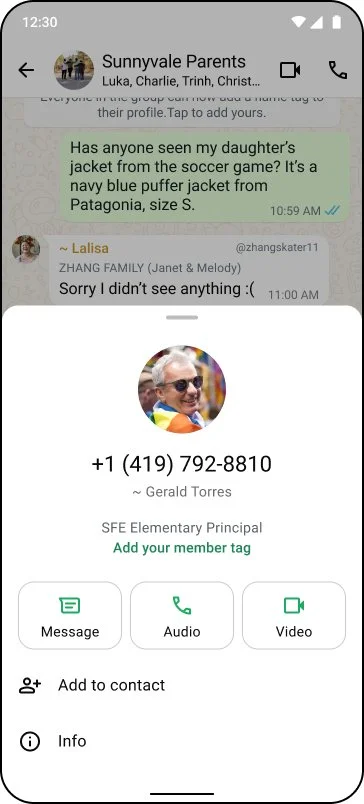
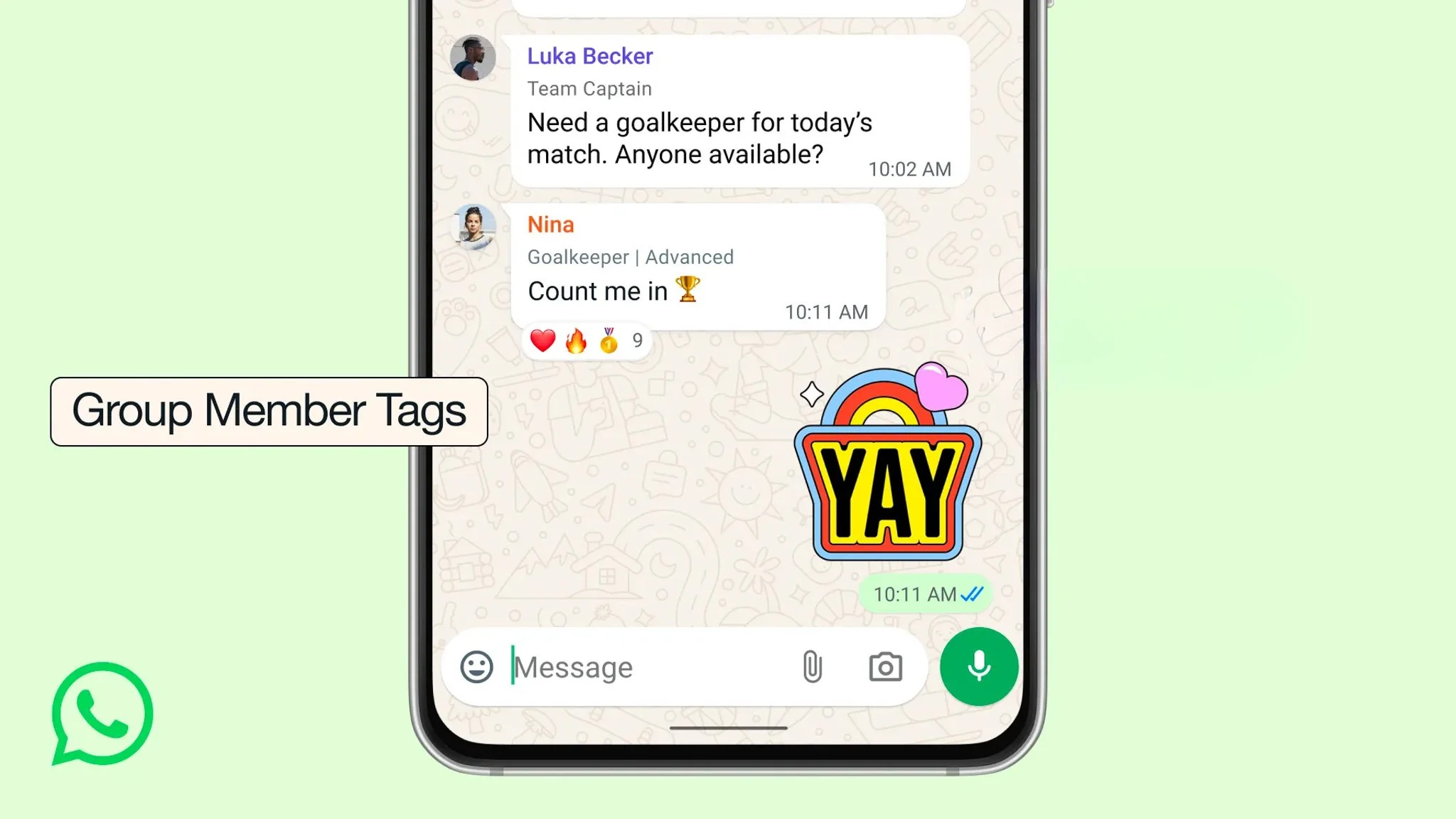
Member tags let group members add a label to their profile to give other members more context on who they are or their role in the group. It helps spark group activation when users are more familiar and connected to one another.
Problem
When first being added, group members don’t have enough context about each other to recognize or relate, especially in medium and large groups where people aren't connected IRL. Users lack a group identity that invites other users to reach out or ask questions. This was a user frustration for years.
Solution
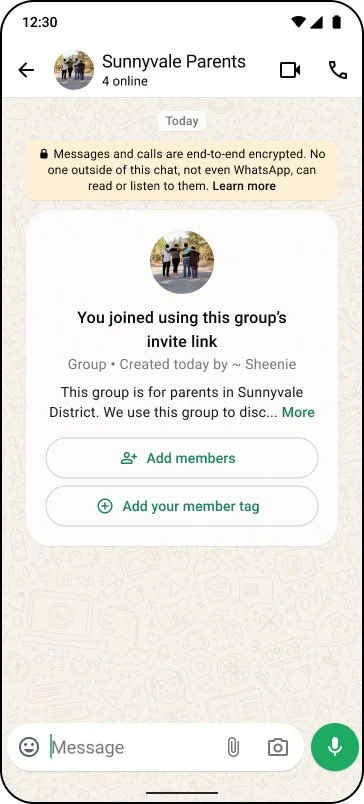
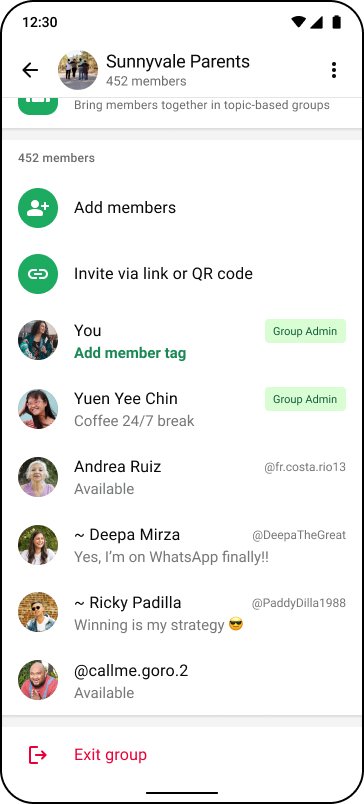
Users can create a short label for every group (e.g. "Zara's Mom," "Grade 1 Teacher,") that appears alongside their name in message bubbles and the group’s member list. It’s visible to all current and future group members.
Impact
Exceeded adoption goals:
+0.12% US group sends/DAU
+0.09% global group sends/DAU
0.4–0.7% of user-group pairs add a member tag within the first 2 months of launch
My role
e2e content
Naming
Feature framing
UXR content planning
Privacy, integrity alignment
GTM language + positioning alignment

How my strategy shaped the feature and achieved product goals
Framing a user’s group identity in a crowded space
Content strategy and positioning
Challenges/constraints
The group space has many competing ‘titles’ for a member; user name, profile name, and About. Geting the framing right was critical to distinction and comprehension. Content was also the only lever to show users what the feature is, how to use it, and why it matters.
UXR
I partnered heavily with UXR to understand not just user need, but how users initially interpreted feature. We dove deeper into their mental models around group identity, context-sharing, and barriers to conversation.
What we learned:
Users repeatedly had to ask "Who are you?" in relation to the group in chats.
Common use cases: roles (parent vs. teacher in school groups), professional titles, seniority in hobby groups, and even what time zone they were in.
Users needed extra context on who someone was to feel comfortable reaching out.
Users confused member tags with their username or About.
Data-backed strategy
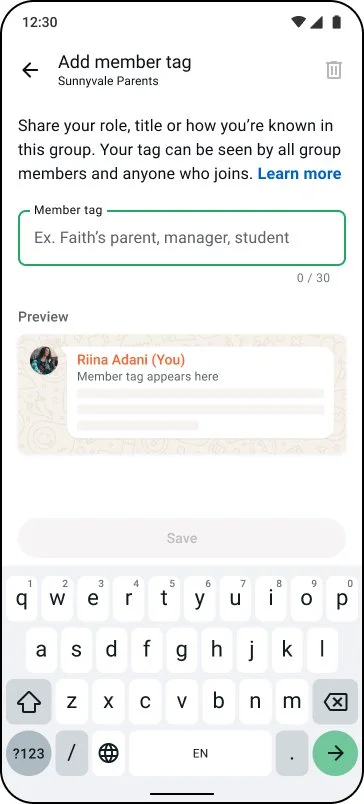
Insights from our UXR plan directly shaped the content framework, from the name and ghost text to the creation flow, closing the gap between how users naturally understood the feature and how we needed them to understand it to meet product goals.
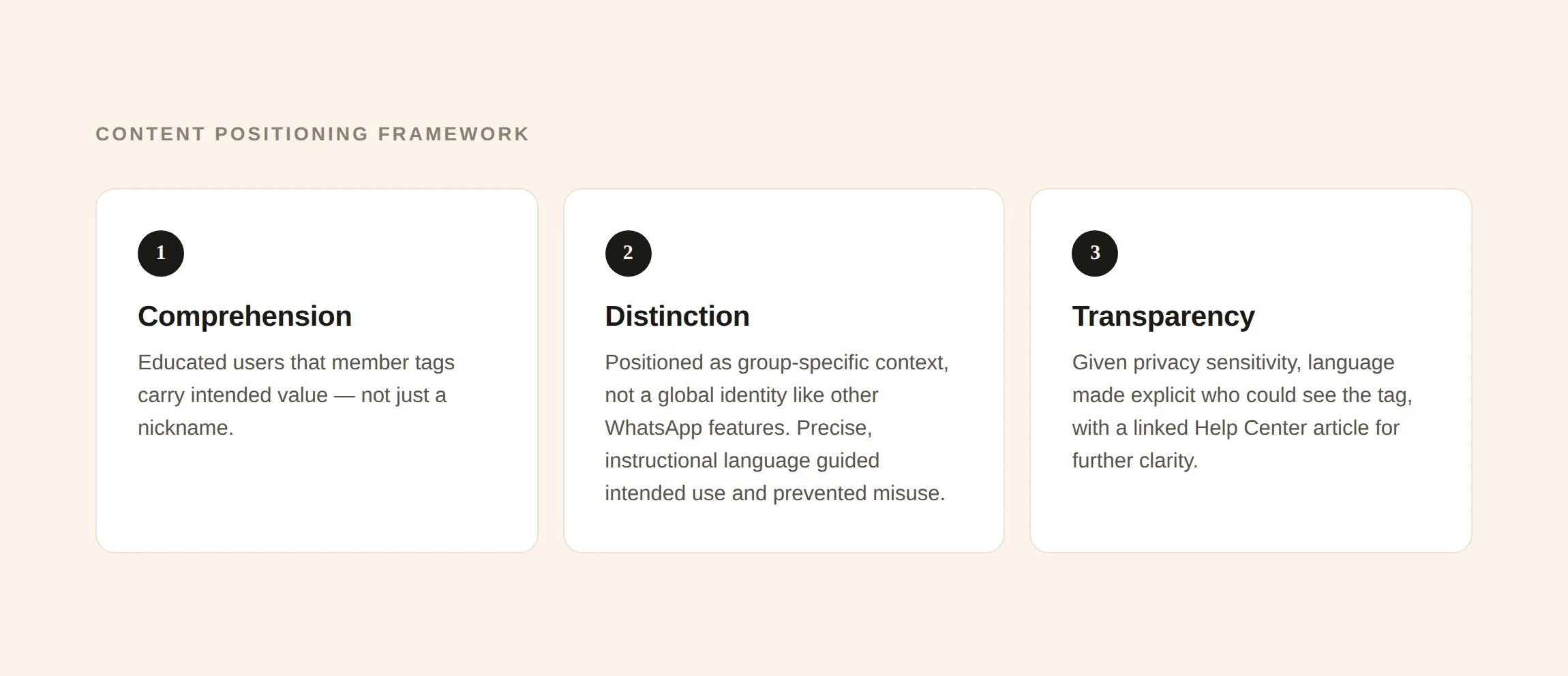
I designed the content positioning to optimize for these key values:
Comprehension: Education that member tags are not a nickname, but had intended value
Distinction: Member tags are group-specific context labels, not a global identity like other WhatsApp features. I used precise, instructional language across every touchpoint to guide intended use and prevent misuse.
Transparency: Given user sensitivity around privacy, the language made explicitly clear who would see the tag and also linked a Help Center Article for further clarity.
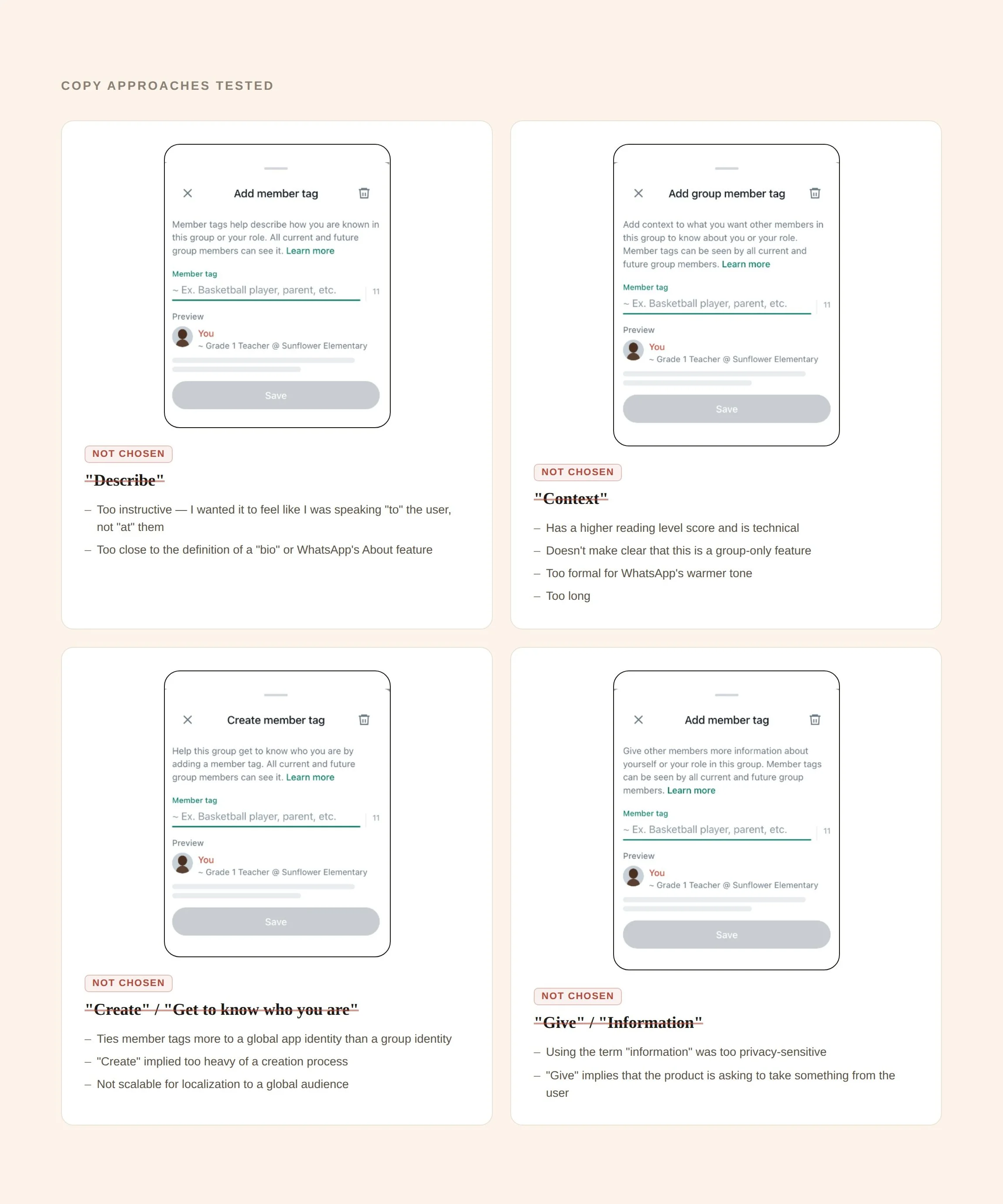
What was NOT chosen & why
This “Instructive” tone wasn’t personal. I wanted it to feel like I was speaking ‘to’ the user not ‘at’ them
“Describe” was too close to the definition of a “bio” or the WhatsApp’s About feature
“Context” has a higher reading level score and is technical
Doesn’t make clear that this is a group-only feature
Too formal for WhatsApp’s warmer tone
Too long
“Get to know who you are” ties member tags more to a global app identity than a group identity
“Create” implied too heavy of a creation process
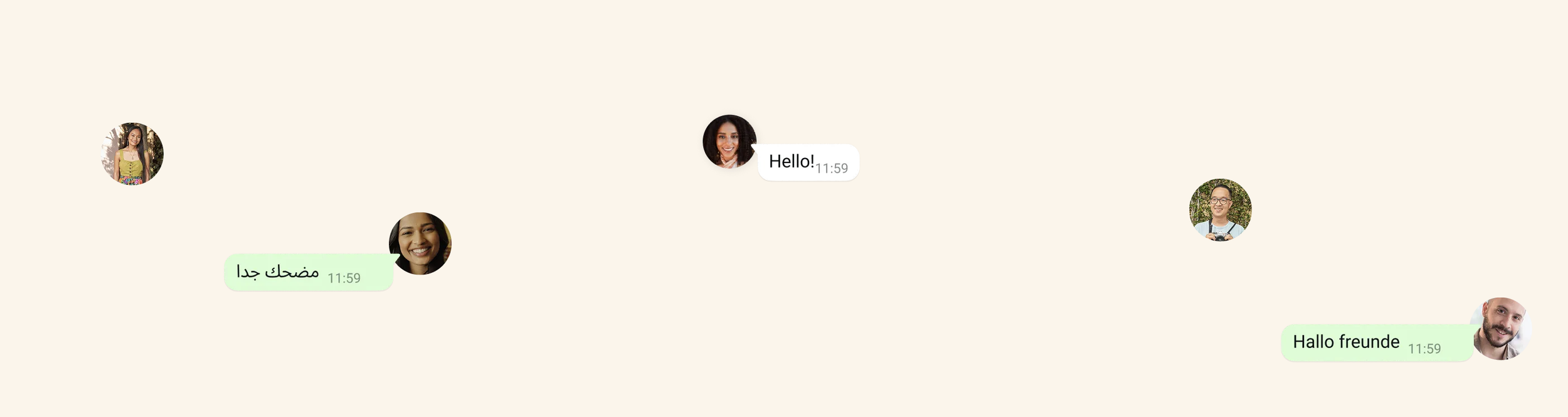
Not scalable for localization to a global audience
Using the term “information” was too privacy-sensitive
“Give” implies that the product is asking to take something from the user
Naming…what I learned and won’t do again
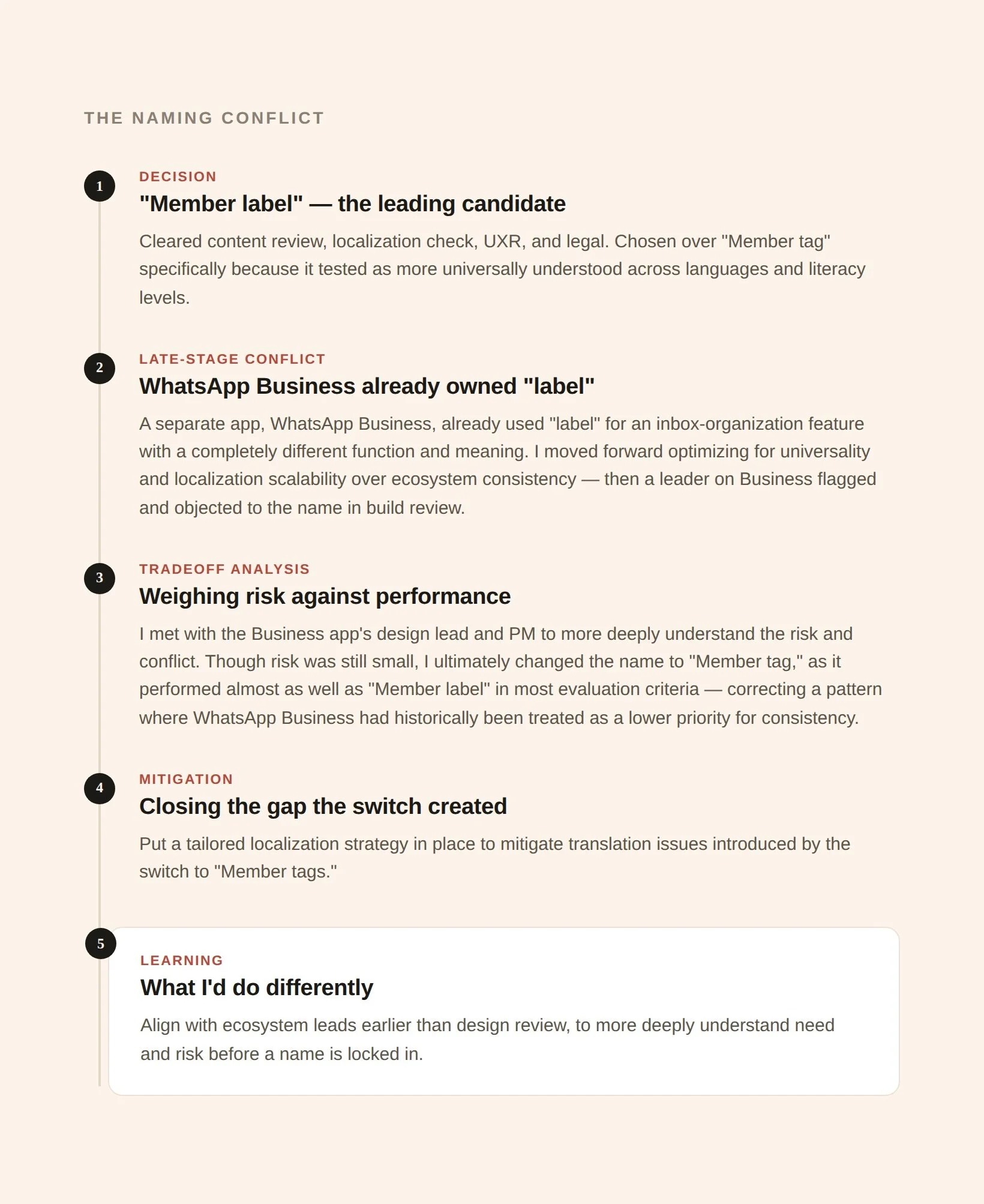
Early in the naming process, "Member label" was my leading candidate. It cleared content review, localization check, UXR, and legal. I chose it over "Member tag" specifically because it tested as more universally understood across languages and literacy levels.
Tradeoff with “Member label”
WhatsApp Business (a separate app) already used "label" for an inbox-organization feature with a completely different function and meaning. I moved forward with "Member label" optimizing for universality and localization scalability over ecosystem consistency between two apps with a relatively small overlap in users.
However, a leader on Business was highly opposed to this, flagged in build review. I took this feedback and met with the main POCs (business app leads and PMs).
After presenting my strategy and rationale and weighing Business leads rationale, we ultimately aligned on “Member tag”
No language conflict with business app
Performed well in UXR
A localization strategy to mitigate translation issues
Learnings:
WhatsApp Business had historically been treated as a lower priority for consistency, and this was a case where we corrected that going forward rather than perpetuating it.
Naming explorations and my rationale against
Headline, Tagline: Implies a username or alias. Suggests replacing identity rather than adding context. Additionally, a user’s member tag appeared below their username in certain UI, making ‘headline’ misaligned with the IA.
Bio, “Known as”: Signals long-form, permanent, global self-description.
Name tag: The word "name" pulls users toward identity, not context, which is exactly the misuse I was trying to prevent.
Member role: Implies admin-assigned, structural roles. Too narrow and hierarchical.
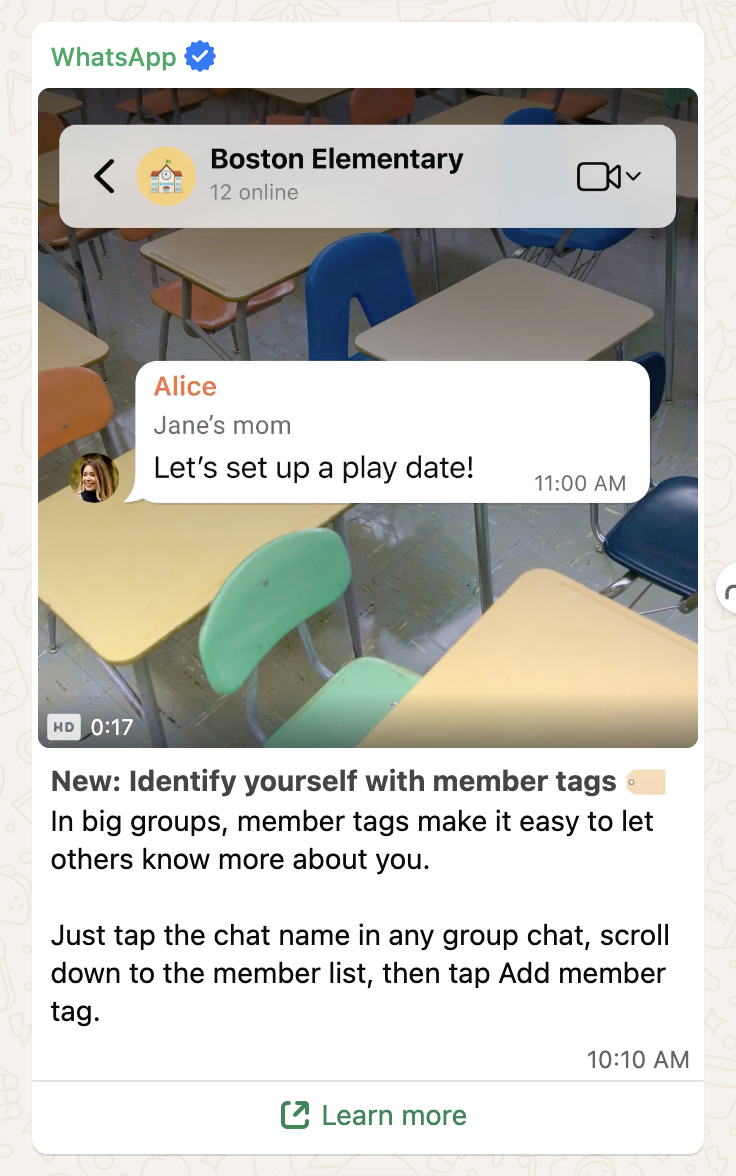
Ensuring feature distinction in GTM
I partnered closely with PMM to align external language (blog post and socials) with the product's intent. Early drafts included phrasing like "let everyone know more about yourself," which I flagged as too close to WhatsApp's About feature, which is visible to everyone.
I pushed for external copy to preserve the same distinction we'd built into the UI, so marketing language reinforced the product's positioning rather than undercutting it.